
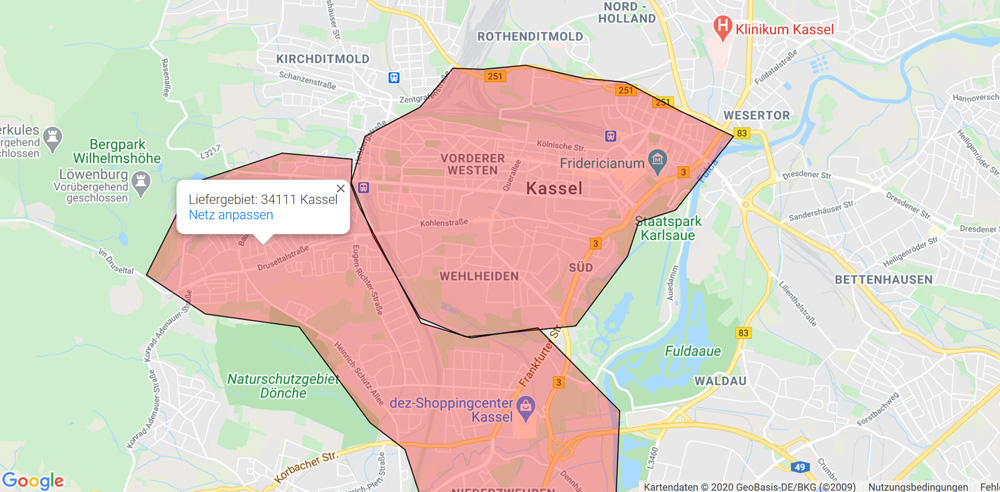
1 · Map grid on Google Maps
You simply draw your delivery areas on a map — accurate down to the house number, with all the configuration options of the other methods. It doesn't get more precise. (Google service, incurs additional costs)
Four different ways to define your delivery costs. Pick a method and switch whenever you want.
◆ 4 ways
You simply draw your delivery areas on a map — accurate down to the house number, with all the configuration options of the other methods. It doesn't get more precise. (Google service, incurs additional costs)
The customer enters their address, Google calculates the distance and travel time based on current traffic. You only enter your fees per kilometre and minimum order values. (Google service, incurs additional costs)
You name the towns and districts you deliver to — the customer simply picks theirs from the list. With delivery fees, minimum order value and optionally free delivery from a certain order total.
Quick and simple, ideal for small, manageable postcode areas: name the postcodes, set costs and minimum order value — configured in a few clicks.
◆ Not enough for you?
All four delivery cost methods are included — switch at any time.
See pricing →